
Meow! How Can We Help?
Customer
Searching for Your Sitter – 5 questions answered
Download and open the Meowtel App
- Visit the Meowtel website or download the Meowtel App via Google Play Store or App Store, and open the app once it is installed on your device.
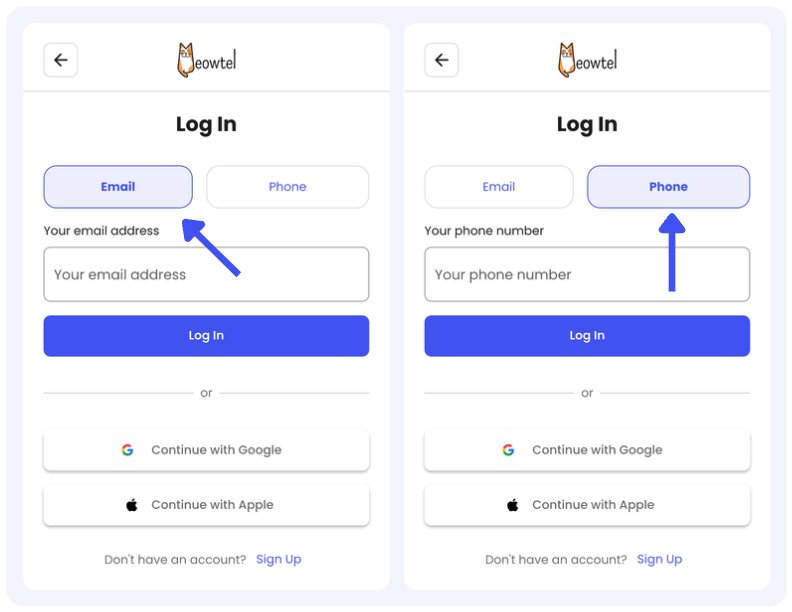
Log in to your Meowtel account
- Log in to your Meowtel account using your phone number or email address on Meowtel.com or the Meowtel App.
Click the “Search” button
- Once logged in, click the “Search” button at the lower left of your Meowtel App.

Start your sitter search
- Use your zip code to browse local, background-checked sitters.
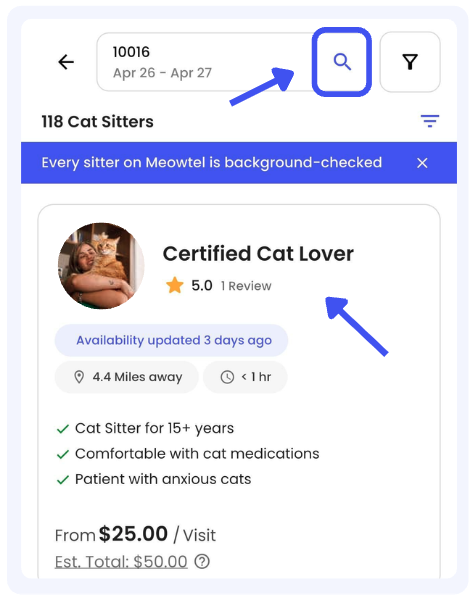
View sitter profiles
- Click on a sitter’s photo to view their full bio, specialized skills (such as medication experience), and verified reviews from other cat parents.
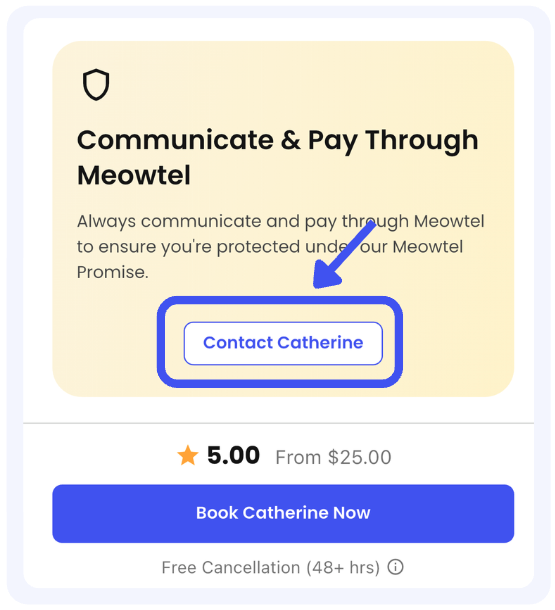
Scroll down and connect
- While viewing the sitter’s profile page, scroll down past the sitter's availability calendar. You will see a banner titled "Communicate & Pay Through Meowtel". Within this banner, click the button that says "Contact [Sitter Name]".
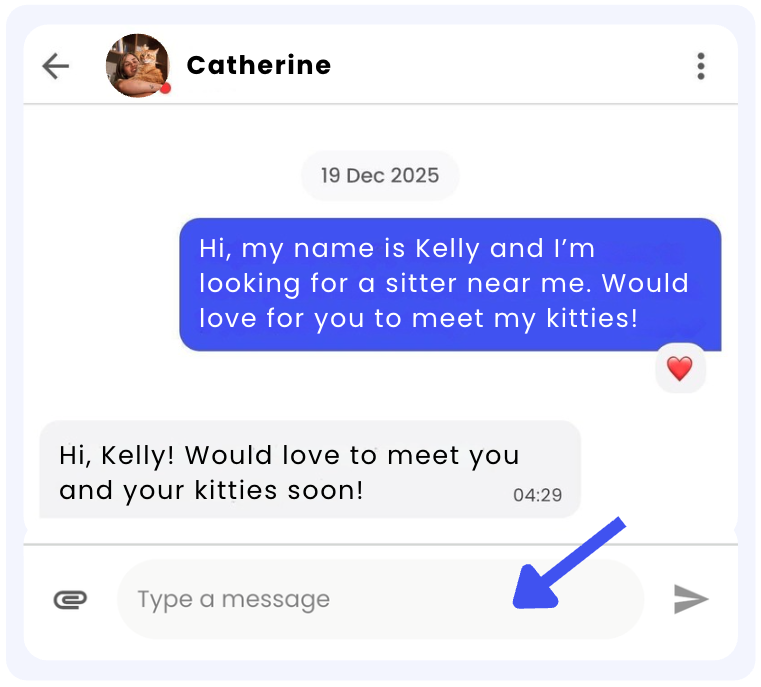
Send a message
- You can start by introducing yourself and your cat(s), share any care preferences, and ask any initial questions you may have.

- A confirmed reservation is required prior to scheduling and conducting a Meet & Greet with your sitter.
- Meowtel's Terms of Service prohibit arranging off-platform payments. Reservations initiated through the Meowtel platform must be paid for through the platform. Completing payment outside of Meowtel for a platform-initiated reservation may result in account deactivation in accordance with our Terms of Service.
- If you have any questions or need assistance, please reach out to our support team at 844-MEOWTEL (1-844-636-9835) or via email at [email protected].
Here are some suggestions:
- If you need the sitter to be at your home at a specific time: Ask if the sitter is available during that time
- If you have pets that are not cats: Inform the sitter of these pets and ask if they are comfortable taking care of them
- If you have a cat with special needs (requires injections, senior cat, etc): Inform the sitter of these needs and ask the sitter if they are comfortable taking care of them
Note: Sitters on the Meowtel platform do not charge per cat; all visits are booked based on length of time.
Meowtel Sitter Achievement Badges recognize a sitter’s experience, accomplishments, and activity on the platform!
Here are the badges sitters can earn:
Experience & Achievements
- Top 1% / 5% / 10% by Year: Recognizes the busiest sitters in their local area during a specific calendar year.
- Reservations Completed: Celebrates milestones based on the number of Meowtel reservations completed.
- Years on Meowtel: Celebrates the number of years of cat sitting on Meowtel.
- Rare Find: Recognizes sitters who are especially popular with cat parents and tend to book up quickly.
Profile & Services
- Catographer: Recognizes sitters with at least 6 gallery photos, helping cat parents get a better feel for their approach to care and connection with cats.
- Neighborhood Explorer: Recognizes sitters with a broader service area, typically covering 10 or more ZIP codes, depending on their market.
- New Client Discount: Indicates sitters who offer a special discount to cat parents booking with them for the first time.
Activity & Responsiveness
- Purrfect Planner: Recognizes sitters who update their calendar at least once per week, making it easier for cat parents to see when they're available.
- Speedy Response Time: Recognizes sitters who typically respond to reservation requests within 30 minutes.
- Active Today: Indicates sitters who have been active within the past 24 hours.
- Active This Week: Indicates sitters who have been active within the past 7 days.
Sitter profiles can display up to 5 Achievement Badges at a time. Badges are automatically prioritized based on what cat parents tell us they value most when choosing a sitter, helping them quickly identify relevant qualifications and accomplishments.
Download and open the Meowtel App
- Visit the Meowtel website or download the Meowtel App via Google Play Store or App Store, and open the app once it is installed on your device.
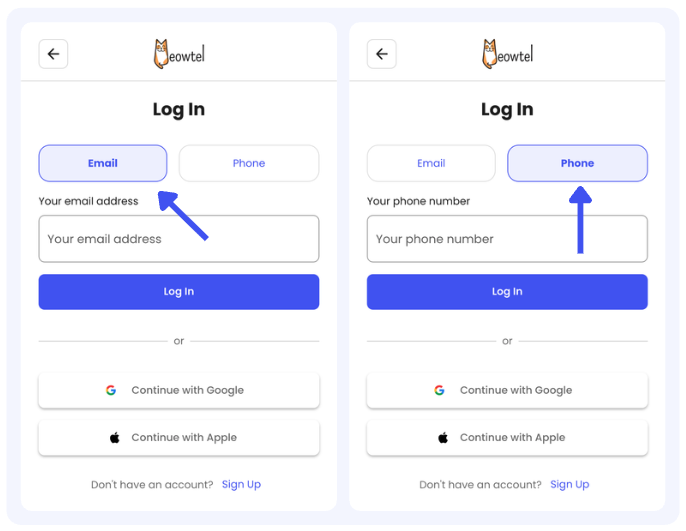
Log in to your Meowtel account
- Log in to your Meowtel account using your phone number or email address on Meowtel.com or the Meowtel App.
Click the “Search” button
- Start your search for cat sitters by clicking on the “Search” button at the lower left of the Meowtel App

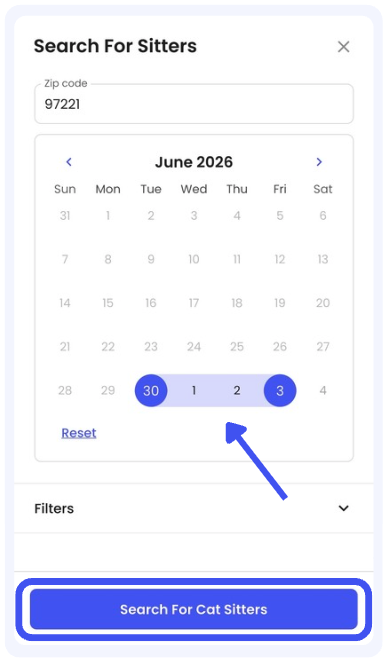
Select your dates
- Select the dates that you wish to reserve a cat sitter and click “Search For Cat Sitters”
Narrow down your search
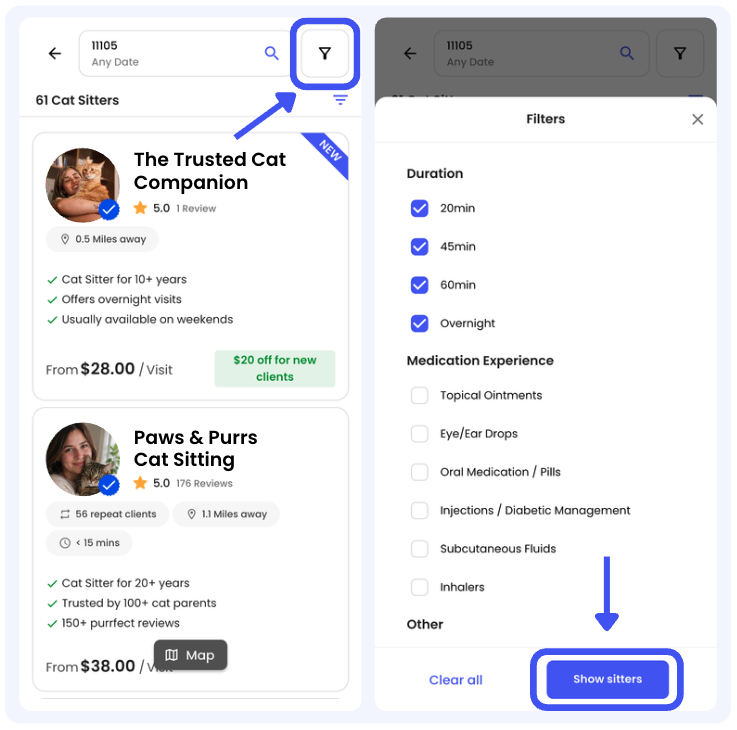
- You can also narrow down your sitter search by using Filters. Just tap the funnel icon at the top right of your screen, then select your preferences, such as visit duration or medication administration experience, and click “Show sitters” to update the list.
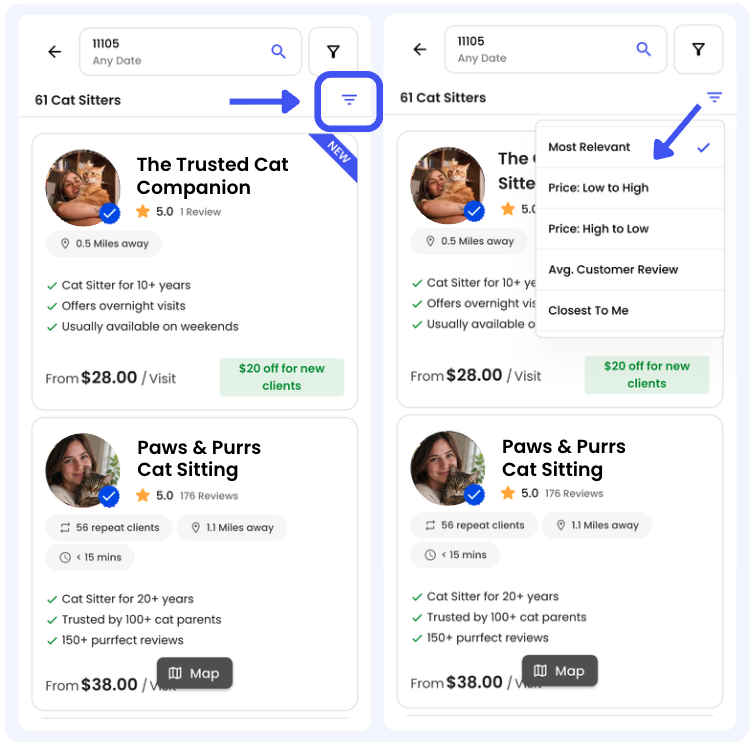
- You can also sort the list of available sitters by tapping the Sort icon. From there, you can sort by Most Relevant, Price, Reviews, or Distance to see which sitters are closest to your home.

- Sitters on the Meowtel platform are independent service providers, and have a variety of schedules. You are welcome to message a sitter to confirm their availability before completing a reservation request.
- If you have any questions or need assistance, please reach out to our support team at 844-MEOWTEL (1-844-636-9835) or via email at [email protected].
To find someone trustworthy to watch your cat, start by looking for a sitter with experience caring specifically for cats, along with trust signals like positive client reviews, clear communication, and a background check. It can be helpful to find a cat sitter who really appreciates cats - their behaviors, boundaries, routines, and individual personalities - and take the time to understand your cat specifically.
When searching for cat sitters, you may want to consider:
- Cat-specific experience: Someone who really gets cats - understands cat behavior and body language, respects their boundaries, and can adjust their approach for your cat’s unique personality.
- Background checks: When using a cat sitting platform, check whether sitters are required to complete a background check.
- Reviews and testimonials: Feedback from other cat parents can give you a better idea of a sitter's reliability, communication, and unique experience.
- Communication: Pay attention to how clearly and promptly a potential sitter communicates before you book. You can also ask how they plan to keep you updated during your trip and discuss how often you'd like to hear from them.
- A Meet & Greet: Meeting before your trip gives you an opportunity to introduce your cat, walk through their routine, ask questions, and see how the sitter interacts with them.
- Medication experience, if needed: If your cat takes medication, look for a sitter who is comfortable and experienced with the type of medication your cat receives, such as oral medications, injections, or subcutaneous fluids. It can be helpful to discuss this in advance and practice administration during the Meet & Greet.
During a Meet & Greet, you can take notice of the questions the sitter asks, too. Someone who wants to know where your cat likes to hide, how they prefer to interact, what their normal eating and litter box habits look like, and what to do in an emergency is taking the time to understand your individual cat. Bonus points if the sitter crouches down or immediately sits on the floor to greet your cat.
Meowtel is a cat-focused platform where you can find sitters who specialize in caring for cats. Every sitter completes a third-party background check before being activated on the platform, and you can review their profile, cat care experience, reviews and testimonials before choosing who you'd like to meet. Reservations booked through Meowtel are also backed by the Meowtel Promise, which includes support before, during, and after your reservation. If you meet your sitter and decide they aren't the right fit for you or your cat, Meowtel can also help you find another available sitter before your trip.